 Max Lin
- 平台Platform
- macOS
- 要求Requires
- macOS 26 或更高,Apple 芯片或 Intel。界面有简体中文和英文。首次录系统声音时需要授予「录制系统音频」权限,录麦克风时需要「麦克风」权限。macOS 26 or later, Apple silicon or Intel. Interface in English and Simplified Chinese. System audio recording permission the first time you record system audio, microphone permission the first time you record your voice.
- 许可证License
- MIT
常见问题Questions
Mac 怎么录系统内部的声音?How do I record internal audio on a Mac?
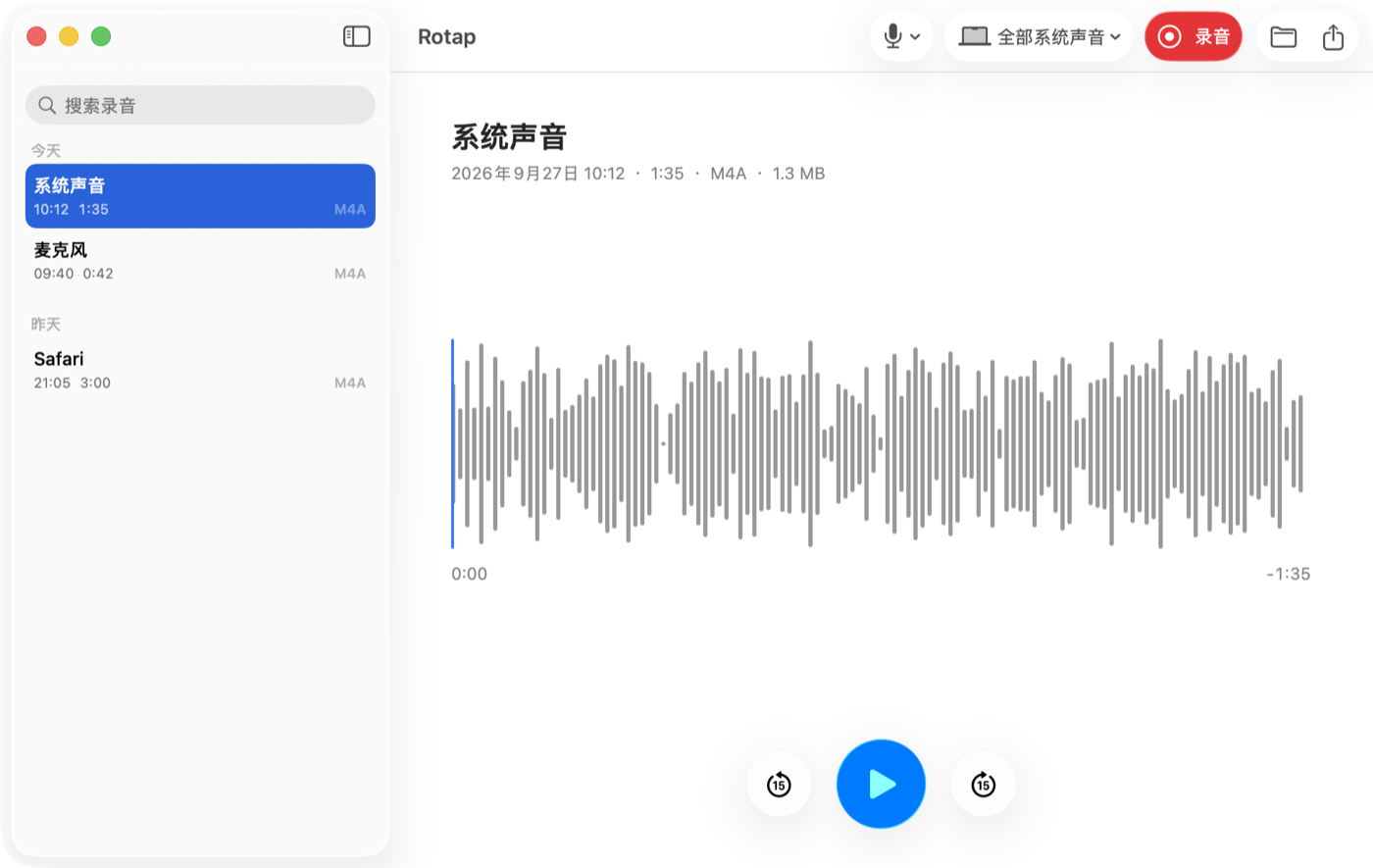
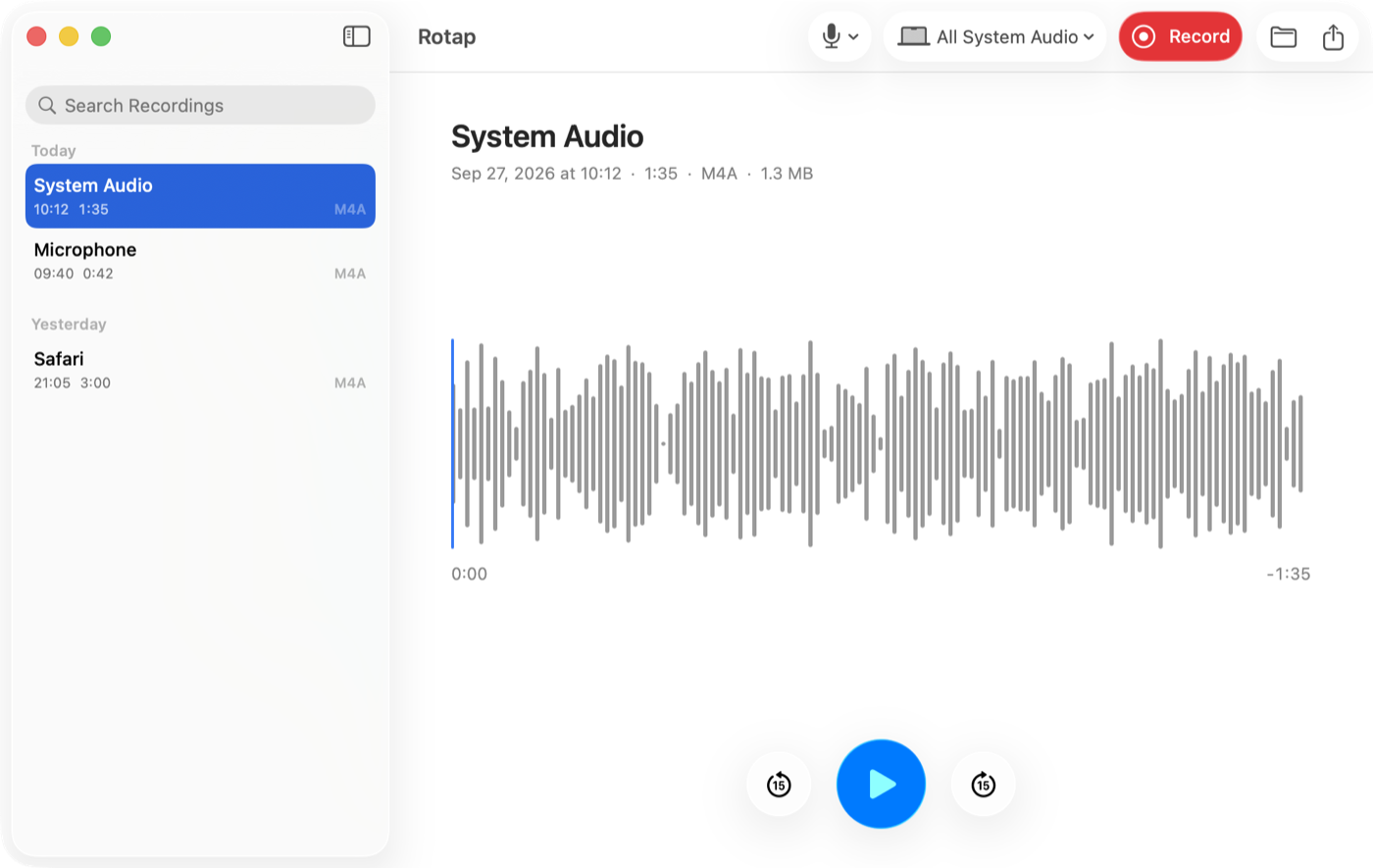
QuickTime Player 的「新建音频录制」只能录麦克风。Rotap 用 Apple 提供的 Core Audio Process Tap 接口读取系统正在播放的声音:打开 Rotap,选「系统声音」,点录制,首次会弹出「录制系统音频」权限请求,允许即可。QuickTime Player's New Audio Recording only captures a microphone. Rotap reads what the system is playing through Apple's Core Audio process tap API: open Rotap, choose System Audio, press record, and allow the system audio recording permission the first time macOS asks.
和 BlackHole、Soundflower 有什么区别?How is it different from BlackHole or Soundflower?
BlackHole 和 Soundflower 是虚拟声卡:要把系统输出切到它们上面,想同时听到声音还得在「音频 MIDI 设置」里建多输出设备。Rotap 不安装任何驱动,也不改输出设备,直接旁听系统的输出。BlackHole and Soundflower are virtual audio devices: you switch your output to them, and to keep hearing the sound you build a Multi-Output Device in Audio MIDI Setup. Rotap installs no driver and leaves your output device alone; it listens to the system's output directly.
能把会议里对方的声音和我的声音录在一起吗?Can it record both sides of a call?
可以。选「系统声音 + 麦克风」,对方从扬声器或耳机出来的声音和你的麦克风会混进同一个文件。Zoom、腾讯会议、飞书、Teams 等任何发声的 App 都适用,不需要往会议里加机器人。Yes. Choose System Audio + Microphone and the other side's audio, as it reaches your speakers or headphones, is mixed with your microphone into one file. It works with any app that makes sound, such as Zoom, Teams or Google Meet in a browser, with no bot joining the call.
录音会上传吗?Are recordings uploaded anywhere?
不会。Rotap 没有联网代码,录音只保存在你的 Mac 上。详见隐私政策。No. Rotap contains no networking code; recordings stay on your Mac. See the privacy policy.
打开时会被 Gatekeeper 拦住吗?Will Gatekeeper block it?
不会。发布的 DMG 用 Developer ID 签名并经过 Apple 公证,下载后拖进「应用程序」即可直接打开。No. The released DMG is signed with a Developer ID certificate and notarized by Apple, so it opens normally after you drag it to Applications.
怎么卸载?How do I uninstall it?
退出 Rotap,把它从「应用程序」拖到废纸篓。如需清干净:删除 ~/Library/Preferences/app.rotap.Rotap.plist,并在 系统设置 → 隐私与安全性 里移除它的「录制系统音频」和「麦克风」权限。录音文件在 ~/Music/Rotap(或你在设置里选的文件夹),要不要删由你决定。Quit Rotap and drag it from Applications to the Trash. To remove everything, delete ~/Library/Preferences/app.rotap.Rotap.plist and remove its system audio recording and microphone grants in System Settings → Privacy & Security. Your recordings in ~/Music/Rotap (or the folder you chose) are yours to keep or delete.
获取帮助Get help
发邮件到Email hi@max1874.com,或在 , or open an issue on GitHub 提 issue。写上设备型号和系统版本,能更快定位问题。. Include your device model and OS version so the problem is easier to find.